
When should a stone business move beyond spreadsheets?
Compare Excel and iBlocky for slab records, buyer sharing and reservations. Use a practical checklist to decide when dedicated stone inventory software fits.
14 days free on Elite. Card required.
By the iBlocky team at We Make Code · Updated
A spreadsheet can be a sensible starting point for a small stone inventory. Dedicated software becomes worth evaluating when photos, buyer sharing, reservations and team access need to follow the same physical material. Compare the workflow you need, rather than assuming every business must replace Excel immediately.
When a spreadsheet still works
A small inventory with one responsible person and a consistent update process may be manageable in a spreadsheet. Flexible columns are useful when you are deciding which material details to record. Shared spreadsheet tools can also support collaboration when the team agrees on how to use them.
The challenge often appears outside the sheet: photos in separate folders, material details copied into messages, or different versions of the inventory sent to buyers. Map those handoffs before deciding whether a dedicated system is needed.
Compare the complete inventory-to-sales workflow
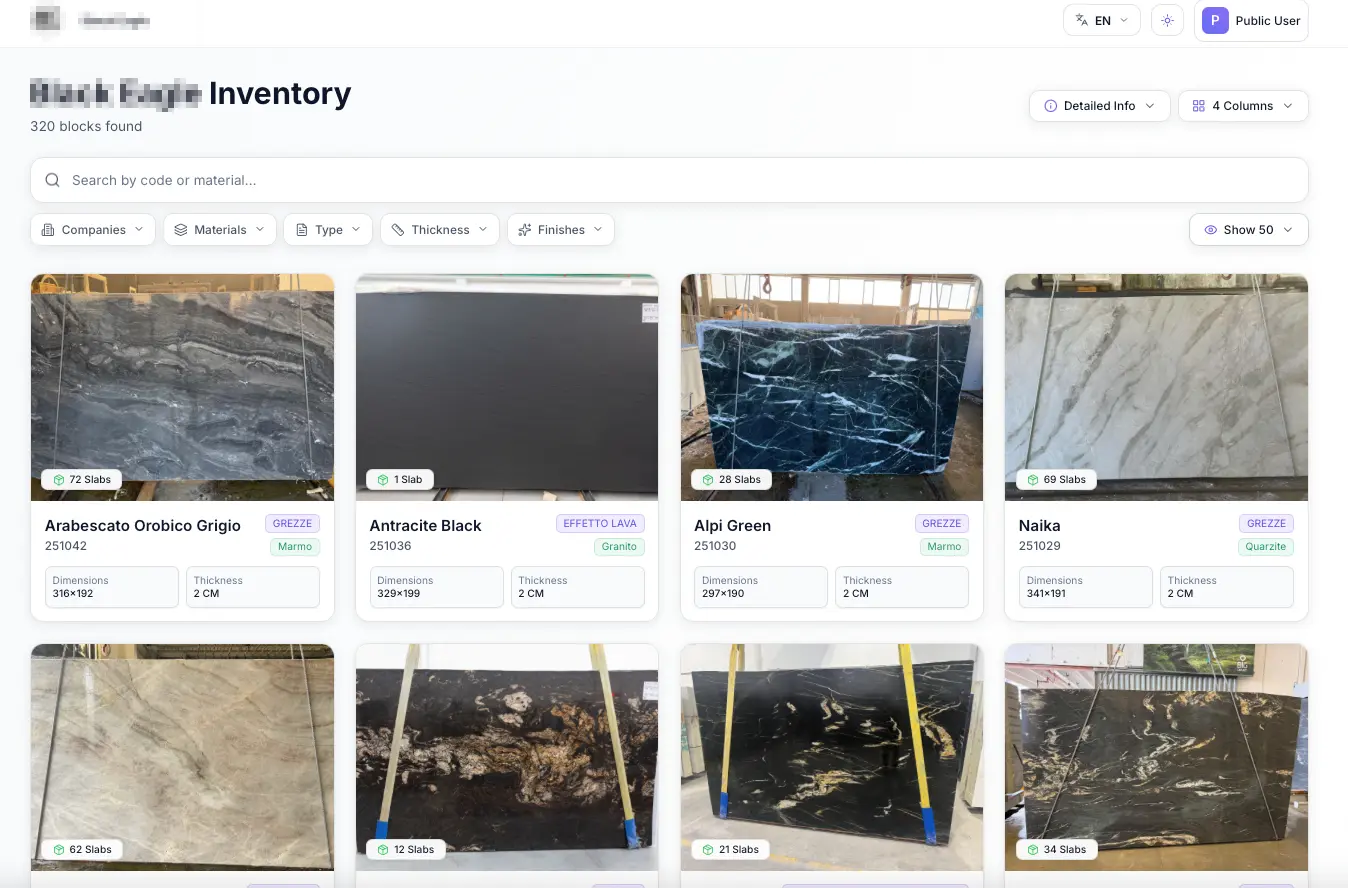
In iBlocky, photos and details belong to material records that can be searched and shared. Reservations and sales stay connected to the inventory, with plan-specific synchronization. Elite includes native WhatsApp and iMessage integration and a branded public catalog.
Compare these capabilities with the process your team actually uses. A feature matters when it replaces a recurring handoff or gives a buyer a better reference. Avoid treating accounting, cutting layouts or import logistics as solved unless their specific scope has been confirmed.
Prepare a useful sample before changing systems
Select a representative set of your stock: different materials, blocks or bundles, photos, dimensions and any supporting certificates. Check duplicate names and agree on the material codes your team will use.
Bring that sample to the demo and ask how your current records and media would be moved into iBlocky. Do not assume every spreadsheet format or import process is automatically supported. Confirm the scope, responsibilities and any cleanup needed before migrating the full inventory.
- List the material fields you actually use.
- Check codes, duplicate names and missing measurements.
- Identify where photos and certificates are stored.
- Review who adds records, shares them and manages reservations.
Test a real buyer request before committing
Use a typical request, such as a fabricator comparing several quartzite bundles. Find the materials, review their information, share them and follow the resulting reservation. Ask colleagues from the showroom and warehouse to review the same example.
Evaluate user access, offline presentation and synchronization as well as the screen design. You can compare Base, Pro and Elite after entering your profile and company details. Only Elite includes the 14-day trial; card registration is required.
Excel and iBlocky: compare the work, not just the list
| Workflow | Spreadsheet process | iBlocky capability |
|---|---|---|
| Material records | Flexible rows and columns; media often needs its own organization. | Photos, videos, dimensions and documents attached to material records. |
| Buyer presentation | Prepare and maintain the file, selection or attachment being sent. | Shared material links; a branded public catalog on Elite. |
| WhatsApp and iMessage sharing | Coordinate copied photos, details and links outside the inventory sheet. | Direct integration within iBlocky on Elite. |
| Reservations | Agree on status columns and a process for keeping them current. | Reservations and sales connected to inventory; plan-specific synchronization. |
Questions about software evaluation
Is Excel always a bad choice for stone inventory?
No. A small inventory with a clear update process can be managed in a spreadsheet. Evaluate dedicated software when media, buyer sharing and team workflows make that process harder to maintain.
Can I automatically import any spreadsheet into iBlocky?
Do not assume every file format or migration is supported. Bring a representative sample to the demo and confirm the import scope and any cleanup needed.
Will iBlocky replace our accounting spreadsheet?
Its main focus is stone inventory, catalogs and sales workflows. Review accounting needs and any external ERP integration separately.
Review your workflow with us.
Create your profile, enter your company details, then compare plans in U.S. dollars. Only Elite includes a 14-day free trial, with card registration through Mollie. Base and Pro are billed immediately.
Start free trial